















 Loading...


Play Rocket Pult Online for free and discover a game that’s brilliantly simple yet maddeningly addictive. What begins as just a catapult and a rocket quickly reveals itself as a masterful test of physics, timing, and precision that will challenge your skills and keep you coming back for just one more launch.
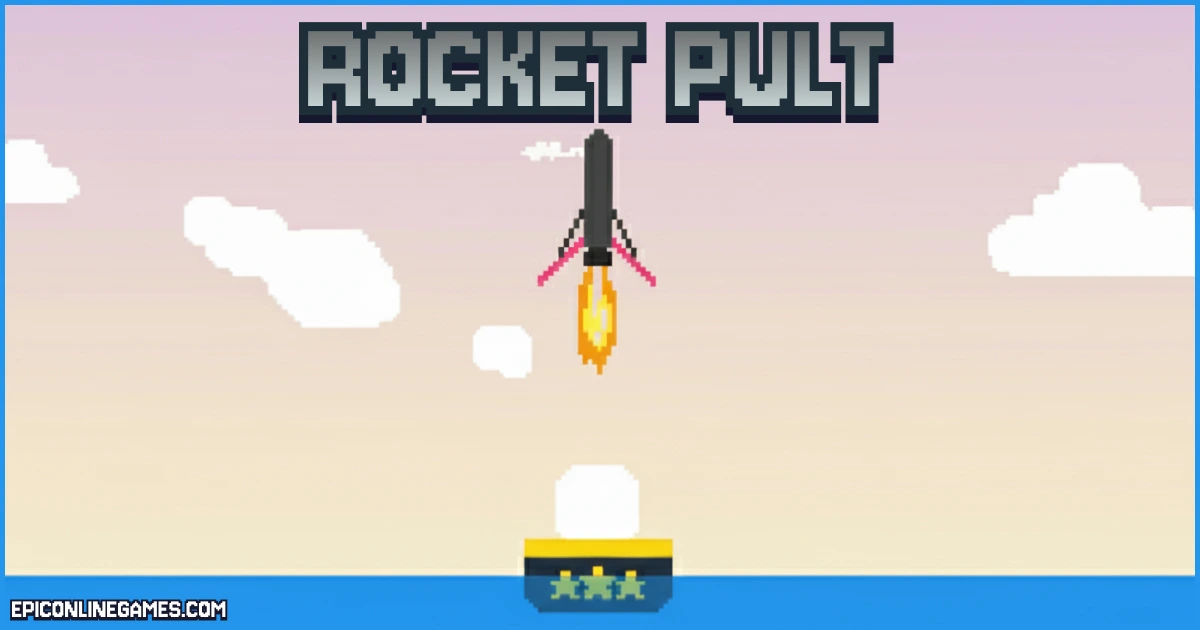
The goal is to fling your wobbly rocket into the sky and guide it to a safe landing on a series of distant platforms. Each successful flight demands a mix of careful planning and split-second adjustments, making every perfect touchdown an incredibly satisfying achievement. The Rocket Pult game is about mastering that delicate balance between power and control.
Ready to test your piloting skills? This guide will walk you through everything you need to know, from basic controls to advanced strategies for achieving a massive high score.
About Rocket Pult: The Addictive Physics-Based Challenge
Rocket Pult is a charming and deceptively challenging arcade game from indie creator "parse." The game strips away complex graphics to focus on one pure mechanic: launching a rocket with a catapult and landing it safely. It’s a concept that’s easy to grasp but takes hours to master.
The game’s core appeal lies in its quirky physics engine. The rocket feels unstable and difficult to control, which is precisely what makes taming its trajectory for a soft landing so rewarding. This focus on physics-based gameplay makes Rocket Pult a standout title with endless replayability as you chase a new personal best.
The Three Phases of Gameplay: A Deep Dive
To excel at the Rocket Pult game, think of each run as a mission with three distinct phases: the launch, the flight, and the landing. Mastering each is key to transforming crashes into high-scoring successes.
Phase 1: The Launch
Your mission begins on the ground. Finesse is key; holding the thrust button causes an uncontrollable spin. Instead, use short taps of the Up Arrow key to create a gentle, rhythmic swing. Release with the Spacebar at the peak of the rocket's forward swing for the optimal combination of height and forward momentum.
Phase 2: In-Flight Control
Once airborne, focus on resource management. Fuel is finite, so use your thrusters in short, controlled bursts for adjustments rather than holding the button. Use the Left and Right Arrow keys to counteract spin and stay on course. The 'Z' key slows time for tricky maneuvers but consumes fuel rapidly.
Phase 3: The Perfect Landing
This is where skill translates to high scores. As you approach a platform, your goal is to reduce speed to near zero. Flip your rocket so its engine faces downward and apply short bursts of thrust to brake your descent. Just before contact, press the Spacebar to deploy your landing legs, which is crucial for stability. Landing on the smaller, golden platforms provides a massive score multiplier.
Platform: Play Anywhere, Anytime
Rocket Pult Classic is an HTML5 browser game, making it incredibly accessible without any downloads. It runs directly in most modern web browsers on your computer, ensuring the game is universally available.
It's worth noting that the developer also released a reimagined version, ROCKETPULT mini, for the Playdate handheld console with different physics. The version you can play online for free is the original classic.
How to Play Rocket Pult: Mastering the Controls
The controls for Rocket Pult are straightforward, but using them with the finesse required for a perfect landing takes practice. Each key is vital for controlling the three phases of your rocket's journey.
Keyboard Controls
Here is a quick-reference table of all keyboard commands, with pro-tips to help turn basic knowledge into expert execution.
| Key | Action | Pro-Tip / Function |
|---|---|---|
| Up Arrow | Thrust Forward | Use in short bursts to control speed and conserve fuel; also used to brake during landing. |
| Left Arrow | Rotate Counter-Clockwise | Essential for stabilizing your rocket and aiming for a vertical landing. |
| Right Arrow | Rotate Clockwise | Used with the Left Arrow for precise in-flight adjustments. |
| Spacebar | Release / Deploy Landing Legs | Press once to launch; press again just before landing to deploy legs and prevent tipping. |
| Z Key | Slow Time | Consumes fuel but allows for finer control during tricky maneuvers. |
| Backspace | Reset Everything (Hold) | If a run is a bust, hold for 5 seconds to start over. |
Rocket Pult Tips: From Novice to High-Score Champion
- Master the "Gentle Swing" Launch: Don't hold the thrust button. Gently tap the Up Arrow to get the rocket swinging, then release with the Spacebar at the peak of its forward arc for maximum distance and stability.
- Fuel is Your Lifeline, Don't Waste It: Continuous thrust provides little extra speed after the initial boost and drains your fuel. Use short, controlled bursts to adjust your path, saving the bulk of your fuel for landing.
- Learn to Brake with Your Engine: The most crucial landing skill is slowing down. Flip your rocket 180 degrees so the engine points down, then use short thrusts to cancel your downward momentum for a soft touchdown.
- Aim for Gold for the Highest Scores: Distance is good, but the landing multiplier is everything. Landing on the smaller, golden platforms can grant a massive 8x score multiplier, turning a decent run into a legendary one.
- Prioritize the Landing: While spinning in the air adds points, they are minor compared to the bonus from a landing multiplier. Always prioritize a safe, controlled landing over flashy mid-air spins.
- Fix the High-Refresh-Rate Bug: If the game feels uncontrollably fast, your monitor's high refresh rate (e.g., 144Hz) may be speeding up the physics. Temporarily lower your monitor's refresh rate to 60Hz in your display settings to fix it.
Rocket Pult Features: What Makes It a Classic
- Deceptively Simple Controls: The game uses few keys, making it easy to pick up, but the physics provide a high skill ceiling that rewards precision.
- Realistic (and Wobbly) Physics Engine: The charmingly chaotic physics are the heart of the game. Taming the unstable rocket provides deep satisfaction.
- Skill-Based Scoring System: The game rewards skillful play with score multipliers for precision landings, encouraging players to take risks.
- Infinite Replayability: With the simple goal of beating your high score, the game offers nearly endless replay value.
- Instant Access Browser Gameplay: No downloads are required. Jump right into the action from your web browser.
Can You Play Rocket Pult Unblocked?
Yes! Players often search for "Rocket Pult Unblocked" to play from networks at school or work. Rocket Pult is fully accessible and ready to play on EpicOnlineGames.com without any blocks. Launch your rocket and start your mission now!
Similar Games to Rocket Pult
If you’re a fan of Physics Games, you’ll love these other titles that challenge your timing and control:
- GunSpin
- Crush the Castle
- Into Space!
- Flight!
Game Details
Developer
ROCKETPULT Classic was created by indie game developer Parse.
Released
2017.
Technology
The game is built using HTML5 and the Construct game engine.
Frequently Asked Questions (FAQ)
How do you land in Rocket Pult without crashing?
To land safely, turn your rocket to face upwards and use the main thruster in short bursts to brake. Deploy your landing legs (Spacebar) just before touchdown to prevent the aircraft from tipping.
What is the best way to get a high score in Rocket Pult?
The key to a high score is the landing multiplier. Aim for the small, golden platforms, which can multiply your total score by up to 8x.
Why is Rocket Pult running so fast on my computer?
This is a known issue on high-refresh-rate monitors (120Hz and above). The game physics are tied to the frame rate. Lower your monitor's refresh rate to 60Hz in your display settings for a normal experience.
Is Rocket Pult available on mobile as an app?
No, there is no official app, but the HTML5 game can be played directly in the web browser on most mobile phones and tablets.
Who made Rocket Pult?
The original browser game was created by indie developer "Parse".
Our Final Word on the Rocket Pult Game
Rocket Pult stands as a perfect example of a simple idea executed brilliantly. It strips gaming down to its core elements of challenge and reward, offering an experience that is both accessible and deeply challenging. The game’s quirky physics and high-replay value create an addictive loop that will keep you launching again and again, making it a true test of patience and precision.